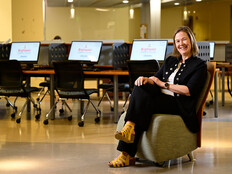







“This disconnect shows up as soon as coursework goes beyond web apps,” says Carney-Morris, the college’s director of educational technology and chair of the Association for Computing Machinery’s Special Interest Group on University and College Computing Services.
Budget devices can also struggle with statistical analysis, modeling, media production and geographic information systems. Before recommending a replacement, she suggests running the same assignment on a lab computer over wired Ethernet, then campus Wi-Fi, to isolate the problem.
“This helps identify if the bottleneck is the assignment, the network or the student’s device,” she says.
From there, IT teams can address the specific barrier while keeping students connected to coursework.
Forecast Needs With Faculty
Carney-Morris says she recommends aligning academic planning with institutional budget and equipment refresh cycles. At Lewis & Clark, summer lab refreshes make the end of spring term an important checkpoint with faculty, lab managers, security teams and service desk staff.
READ MORE: Device lifecycle services simplify hardware management.
Relationships with early adopters give IT advance notice of assignments and AI tools that might expose limitations in student-owned devices.
Ed Skoudis, president of the SANS Technology Institute, says he recommends testing faculty-created exercises on the hardware students use. Instructors working on powerful computers may not encounter the delays their students experience.
“When we design labs, we try to support systems as much as 3 or 4 years old,” he says.
Requirements also vary within disciplines. Digital forensics exercises may need substantial storage for memory and file system images, while penetration testing can demand more central processing unit and graphics processing unit (GPU) capacity.
Testing can reveal opportunities to reduce a data set or adjust software settings while preserving the learning objective. IT and faculty can explore those changes before raising device requirements.
Recommend What Students Actually Need
Jennifer Mathes, CEO of the Online Learning Consortium, recommends mapping computing requirements across programs and identifying when students will encounter more demanding applications.
DISCOVER: Device loaner programs expand hardware access.
“Recommendations should be reviewed regularly by IT and academic departments, but they should not automatically become more demanding simply because new technology is available,” she says.
Guidance should distinguish minimum specifications, recommended configurations and specialized program requirements. It should also explain when capabilities become necessary and whether shared resources offer an alternative.
In addition, AI coursework does not automatically require a new laptop, because browser-based AI services have different hardware demands from local model development or advanced data analysis, Mathes notes.
She recommends institutions assess whether investment in shared infrastructure would serve students better than requiring individual upgrades.
Match Resources to Coursework
Mathes says loaners can address temporary failures or short-term financial barriers, while shared labs support expensive specialized applications. Virtual desktops provide access to more powerful computing but depend on connectivity and licensing.
One-to-one programs can provide consistent access across a program, provided institutions establish sustainable funding. Budgets must include support, maintenance, replacement cycles and accessibility.
Click the banner below to subscribe to our weekly newsletter.