Jan 23 2026
Hardware

How To Get the Most Out of Wireless Casting in K–12 Environments

Wireless casting is a mainstay in K–12 schools and has vast potential to improve collaboration and learning.

The modern classroom looks nothing like it did a decade ago. Teachers aren’t tethered to podiums or desks anymore, and digital technology is essential to delivering engaging, interactive lessons. Wireless casting is at the center of this transformation. Once a convenient novelty, casting has evolved into an educational necessity.

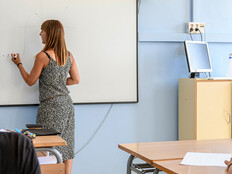
Historically, teachers have been tied to wall plates connected to projectors, forced to teach from a fixed position in the room. But within the past six or seven years, wireless casting technology has matured to where teachers can present content from anywhere in the classroom, whether they're working with small groups, circulating among students or teaching from the back of the room.

Wireless casting solutions’ viability in education stems from their reliability and security. We're not just talking about consumer devices such as Chromecast — although those certainly have their place as entry points. Enterprise-grade solutions from providers such as Vivi, Screenbeam and Airtame offer performance that's nearly as reliable as a traditional HDMI connection but with fewer physical constraints.

Click the banner below to optimize device management at your school.


Facilitating Secure Student Engagement in the Classroom

Security is where K–12 wireless casting truly differentiates itself from consumer options. Schools need security features that prevent students from connecting to the wrong display or broadcasting inappropriate content. Enterprise solutions address this through PIN authentication, display grouping capabilities and, most important, moderated casting.

Moderated casting puts control firmly in the teacher's hands. Students can request to share their screens, but the teacher approves each request. This transforms the classroom dynamic during group projects and presentations. Multiple student groups can take turns sharing their work without anyone needing to physically connect to a display. The teacher maintains oversight while students gain valuable presentation experience.

Some solutions take this even further. Vivi, for instance, allows teachers to poll student devices and push wellness content, such as meditation apps. Screenbeam enables teachers to remotely control Windows student devices, helping students navigate software when they're stuck.

RELATED: ViewSonic’s WPD-900 brings effortless screen-sharing to every classroom.

A Multipurpose Tool Across K–12 Environments

Wireless casting solutions have merged with digital signage technology, which broadens their capabilities beyond classroom teaching. A single device can now be used for multiple functions, such as morning announcements, video wall content in gymnasiums, casting for teacher professional development sessions and, of course, standard classroom presentations.

These devices have also become endpoints for emergency alert platforms. In case of fire, severe weather or other emergencies, systems such as Singlewire’s InformaCast or Alertus can take over displays in real time, delivering visual information directly to classrooms. This redundancy is invaluable when every second counts.

The technology also supports what I call the "touchback" feature, which is particularly powerful with interactive displays. A teacher can wirelessly cast to an interactive board and then control their laptop from the display itself, opening apps and navigating files without ever touching their device.

SUBSCRIBE: Sign up to get the latest EdTech content delivered to your inbox weekly.

 

Looking Ahead: The Rise of Virtual Casting Solutions

In the coming years, I expect virtual or software-based casting to gain significant traction. Solutions such as Rise Vision and Airtame have introduced casting capabilities that can be added to any Windows device through software alone.

With the emergence of Chrome Open Pluggable Specification (OPS) devices — modules that slot directly into interactive displays — schools also have the option to embed casting functionality into ChromeOS environments without purchasing additional hardware. The economics are compelling: Instead of purchasing a $500 hardware solution, districts can pay an $80 annual software license. For budget-conscious districts, the lower entry point makes enterprise-grade casting more accessible.

For schools with even tighter budgets or an immediate need, dongle-based solutions from companies such as Barco, BenQ (InstaShow) and ViewSonic offer peer-to-peer casting in the $150 to $200 range. Dongles present management challenges in that they can be lost or damaged, but they provide stable connections without requiring network infrastructure.

Wireless Casting Is About Simplifying Complexity

Standardization is perhaps the most overlooked benefit of wireless casting. A school might have projectors in some classrooms, flat panels in others and interactive displays elsewhere. With a consistent casting solution across all of these environments, teachers know exactly how to connect regardless of which room they're teaching in. IT departments gain centralized, cloud-based management, and educators gain confidence and flexibility.

The goal of wireless casting has always been simple in theory: to project a teacher's device onto any display. But in practice, its utility has become more sophisticated and secure, and more central to modern education. As casting technologies continue to evolve and merge with other classroom systems, they're not just supporting teaching — they're fundamentally changing how teaching happens.

gorodenkoff / Getty Images
Close

New Workspace Modernization Research from CDW

See how IT leaders are tackling workspace modernization opportunities and challenges.