


Oct 13 2026
Hardware

How K–12 Districts Sustain Lasting Device Programs

Districts with long-term one-to-one programs evolve their device management strategies over time, from purchase and configuration to management and repair to disposal.

When new Chromebooks arrive at Desert Sands Unified School District, they come preconfigured and nearly ready to hand out to students.

That's because CDW, one of the district's technology solutions providers, unboxes each Chromebook, tags it and enrolls it in the district’s Google domain — a service that the district pays a small per-device fee for. Zero-touch enrollment is a massive timesaver for its four cloud support technicians, who manage nearly 28,000 Chromebooks across 34 schools.

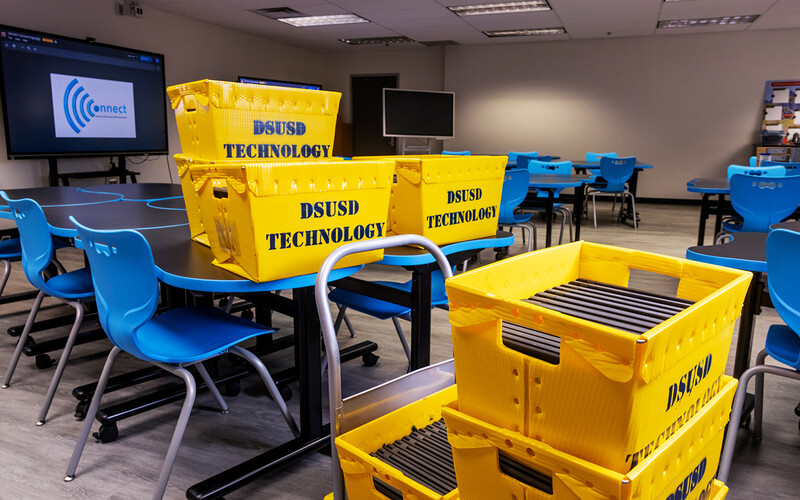
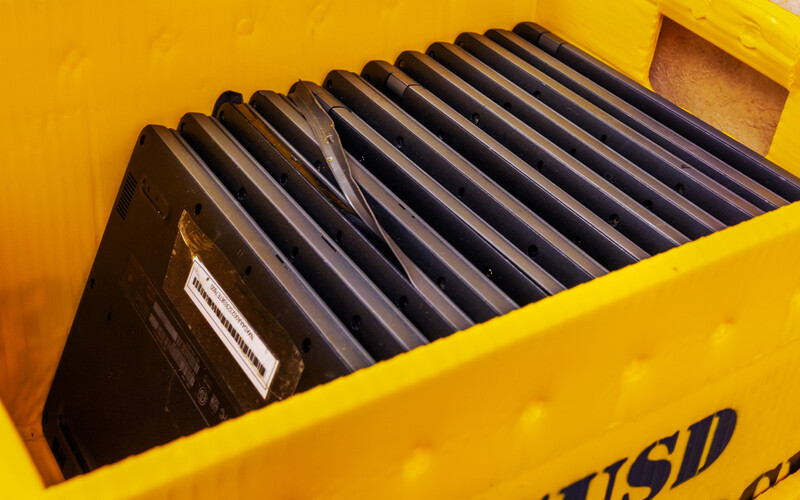
The La Quinta, Calif.-based district purchases between 4,000 and 6,000 Chromebooks a year as older machines age out. Once they arrive, the technicians scan each device’s barcode into the library system, and librarians check them out to students, much like library books. 

“It’s a lot of work, depending on how many students we have at our school sites. But a lot of the work is done before they get to us,” says Tiffany Norton, the district’s chief innovation and information officer. 

Click the banner below to find solutions to manage the entire lifecycle of your devices.


With ESSER pandemic relief funding expired, districts nationwide are under more pressure than ever to stretch device budgets. Many districts bought laptops in bulk during the pandemic. Those that didn’t incrementally update devices now have fleets reaching end of life all at once, forcing some to scale back or end their one-to-one programs.

But other districts with long-standing student device programs have successfully maintained them for over a decade by setting aside money for device replacement in their annual budgets, some through voter-approved funds. 

Beyond funding, they also see success because they’re constantly evolving their device lifecycle management strategy, from purchasing and configuring devices to managing them through mobile device management tools, refining repair strategies and adjusting refresh cycles as needs change.

“I don’t think anybody has a well-oiled machine that never changes,” says Amy McLaughlin, a project director at CoSN. “I think everybody is constantly adapting and adjusting to keep their fleets as current as possible.” 

How Desert Sands Keeps Evolving Its Chromebook Program

DSUSD began providing Chromebooks to students during the 2014-2015 school year, first through classroom carts, then to individual students starting in 2017.

Then-CTO Kelly May-Vollmar, now superintendent, championed the initiative to bridge the digital divide. It’s now a permanent line item in the district’s annual budget, Norton says. The district upgrades devices every four to six years. 

 “If we didn’t have the money to continue to replenish those devices that are outdated or get damaged, we wouldn't be successful,” she says.

Success also stems from a lifecycle management strategy Norton continues to hone. Three years ago, DSUSD adopted CDW’s zero-touch enrollment service to simplify and speed deployment. In recent years, the district noticed Chromebooks suffered heavier damage among middle schoolers, so it standardized on more rugged Acer and Dell Chromebooks for those grades.

“We started giving them a new device at sixth grade and a new device at ninth grade to see if that will cut down on some of the damage,” Norton says. 

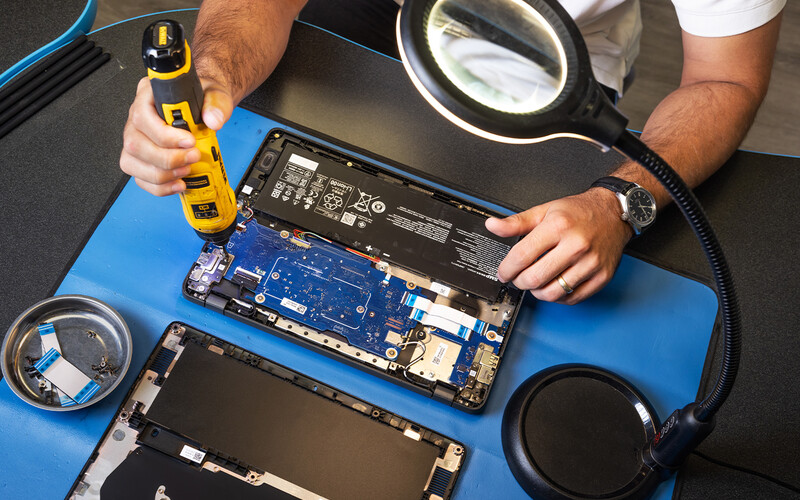
Librarians collect damaged devices, hand out spares to students and create tickets in the help desk system. The district’s four cloud support technicians repair the devices, keeping a stock of frequently replaced parts such as keyboards and screens on hand. The team handled 8,000 repair tickets last year, buying parts through vendor partners to ensure they meet industry standards, she says. 

For daily management, the IT department uses the Google Admin console for Chrome OS updates, security patches and security policies. Lost or stolen devices can be remotely locked, displaying a message directing whoever has it to return it.

For asset management, the cloud support technicians built a Google Sheet that tracks enrollment, device counts by school, device availability and pending repairs. It’s updated regularly by the library and help desk ticketing systems, Norton says.

As devices approach end of life, graduating seniors can keep their old Chromebooks. The remaining are auctioned off or sold as e-waste, she says. 

Norton continues to make improvements to the district’s one-to-one program. This year, the IT department will look at new Chromebooks with more memory to better handle artificial intelligence. Last November, the district gave middle and high school students access to Gemini AI, but older Chromebooks lack the memory to run it well.

“It’s time for us to look and future proof a bit,” she says. 

Snoqualmie Valley Sustains Device Program With Tax Levy

In Washington state, Snoqualmie Valley School District rolled out its first one-to-one devices to sixth to 12th graders in fall 2019, after previously relying on classroom Chromebook carts, computer labs and bring-your-own-device policies.

A technology levy, renewed by voters every four years, funds the program. Secondary school students take home Windows-based HP convertible laptops, while elementary students use Chromebook carts. 

The 7,000-student district spends up to $2.2 million annually on devices, says Justin Talmadge, the district’s technology director. Students keep devices over the summer, and only graduating seniors return theirs.

Talmadge expects Windows laptops to last five years, but SVSD’s first batch had underpowered performance and were refreshed after four. Chromebooks last five to six years. 

The district relies on its reseller to provision devices by imaging them with Windows 11, etching a Snoqualmie logo, asset tagging and delivering them to schools. When issuing devices, library staff scan the barcodes, logging who has what device in Incident IQ, the district’s asset management and help desk ticketing system, he says. 

SVSD’s IT team manages Windows laptops through Microsoft Intune, using it to remotely install apps, push updates, enforce security settings and manage administrative rights. They also use various tools for endpoint security and contract with a managed service provider for 24/7 security. Google’s Admin console is used to manage Chromebooks.

Talmadge continually makes improvements to the 1:1 program. Last fall, the senior class had the district’s oldest laptops, so he refreshed their devices. Incoming sixth graders will now use those machines. 

He and his staff have improved communication with families about device care and fines for negligent damage. Starting this year, students will be required to buy hard-sided cases for their devices following any accidental screen or shell breaks.

Library staffers handle simple fixes and issue loaners to students, building technicians handle complex repairs and the most serious repairs go to the reseller. The district also salvages parts from old machines for repairs. To cut costs, Talmadge is weighing whether to bring more repairs in-house using his student interns, who currently clean and prepare returned devices and assist technicians with troubleshooting.

SVSD doesn’t need a device refresh this year, but it’s already testing sample laptops as it prepares to upgrade devices for 10th through 12th graders during fall 2027. 

Snoqualmie is considering higher-end models for the older grades, in part because some families buy more powerful laptops for their children, which creates uneven classroom experiences. Sixth through ninth graders would likely stay midrange, he says. 

At the end of the device lifecycle, SVSD works with an e-recycling vendor that resells still-functional parts and devices. 

For Talmadge, a successful one-to-one program isn’t just about managing the fleet; it’s also about how computers get used in classrooms. His digital learning coaches work with teachers to use the technology effectively. 

“We’re using it purposefully — for accessibility, for allowing kids to learn at their own level, to personalize,” he says. 

Milpitas Standardizes on Chromebook Plus Devices

Milpitas Unified School District has run a one-to-one device program since 2016. The district allocates a portion of its California Local Control Funding Formula for student technology.

That way, technology doesn’t compete for funding with other budget areas, says Chin Song, the district’s director of technology. “Every student is guaranteed a technology funding amount,” he says. 

MUSD historically has standardized on Chromebooks, equipping students with new devices every four years in first, fifth and ninth grades. To improve performance and support AI use, the IT department three years ago began phasing in higher-end Chromebook Plus models, featuring more processing power, memory, storage and built-in Gemini AI. 

For the 2026-27 school year, the district is equipping ninth graders with new entry-level laptops, which run AI locally rather than relying solely on the cloud, and plans to give every high school student one over the next three years.

Source: Source: CoSN, ’U.S. State of EdTech 2026, May 2026

To pay for the pricier devices, the district will stretch its Chromebook refresh cycle from four years to as long as six to eight, cycling older Chromebooks down to kindergarten and first grade once older students graduate, Song says.

MUSD manages Chromebooks through Google's Admin console, manages the new entry-level laptops through a separate MDM tool and tracks assets using Incident IQ. The district configures devices in-house. The IT department, their student interns and volunteers enroll new Chromebooks into the district's Google management system in batches using preprogrammed USB drives.

Students keep devices over the summer. Breakage has risen from about 2% at the program’s start to 4% to 6% today. In response, Milpitas will reintroduce an optional warranty, provided by the district, that parents and guardians can purchase this school year. 

The warranty cost is $15 annually for a standard Chromebook, $35 for a Chromebook Plus and $40 for the entry-level laptops, with multi-year discounts, says Anh Pham, MUSD’s senior manager of advanced tech and innovation. The warranty will augment the IT team’s fund for repairs and fleet renewals.

“Our hope is to give students and parents peace of mind knowing that if there is accidental breakage, it’s not going to cost them an arm and a leg,” Pham says. 

READ MORE: Discover how to solve device protection challenges in K–12 education.

When devices are damaged, school staff file a help desk ticket and provide students with loaner devices while the originals get fixed. The district has an inventory of 14,000 Chromebooks for 10,000 students, so it has plenty of extras. MUSD places five spare devices in every classroom as loaners for students who forget to bring theirs or run out of battery. “It is important that students have working devices for learning continuity,” he says. 

In-house staff repairs the Chromebooks. When devices reach the end of their useful classroom life, the district sends them to an e-recycling vendor. Students or community members also have the opportunity to buy them. The district also lets teachers and students use them for other learning purposes. Some students experiment and tie them into makeshift computing clusters, while STEAM teachers allow students to take devices apart to get a look at what’s inside.

Song says MUSD’s success with its one-to-one program traces back to guaranteed funding and continually refining the device lifecycle.

“That has worked out relatively well for us. Technology is now a fundamental cost of learning, so it isn’t up for negotiation,” he says. “And then, it’s all about planning how that cycle might be realized and continuously researching what may be coming up in the future, so students have access to best-in-class tech to maximize their learning.” 

Photography by Christina Gandolfo
Close

New Research from CDW Explores AI and Cybersecurity

Learn how AI is helping IT teams manage risk and improve resilience.