Mar 31 2026
Security

Physical Security Technology Keeps School Buses Safe

Onboard cameras keep a watchful eye on students and give districts faster access to video.

When parents call Clovis Unified School District’s transportation department with questions about a school bus issue or incident, they expect answers. But under the California district’s old camera system, getting those answers could take hours.

Staff had to wait for buses to return to the yard to retrieve the drive from an onboard digital video recorder and transfer the video to an office computer. If a bus was out all day and then transported students for after-school sports, it might not return until late at night.

“They’d wait for the bus to come back, and we were wasting a lot of staff time,” says Raj Nagra, the district’s CTO.

In 2024, the district in California’s Central Valley replaced decade-old cameras on school buses and in school buildings with a Verkada cloud-based camera system that provides real-time video access. The transportation director can now resolve parent complaints within minutes.

Click the banner below to learn about the technology that can keep your district safe.


When a parent recently reported that the bus never arrived to pick up a child, the director searched the address and sent a screenshot showing the bus in front of the house with a time stamp, proving it arrived as scheduled.

“The big thing is, when there’s an issue, we’re able to get to the video faster and not wait,” Nagra says.

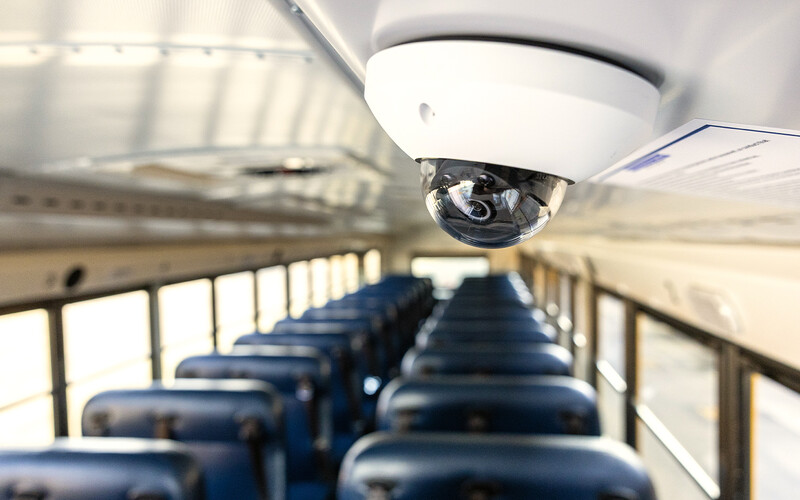
Many school districts have deployed cameras on school buses to ensure student safety and document what happens inside and outside the vehicles, including student behavior, driver conduct, accidents and near misses.

Most districts deploy at least a handful of cameras, including a camera facing the road, a rearview camera, a camera covering the driver and door, and cameras aimed at students, says Guy Grace, vice chair of the Partner Alliance for Safer Schools.

In the roughly 30 states that allow stop-arm camera footage as evidence, some districts install external cameras that capture drivers who illegally pass a stopped school bus.

The cameras provide evidence when incidents occur, such as student fights, bullying, vaping or vandalism. They also serve as a deterrent.

“Schools are using the cameras for student discipline investigations and driver protection and exoneration,” Grace says. “You might have a route where you get some rowdy kids.”

CUSD Merges School and Bus Camera Projects

In 2025, Nagra began modernizing aging camera infrastructure at CUSD’s schools and learned the transportation department was struggling with its own antiquated camera system. Both required storing video on-premises.

He piloted Verkada’s cloud-based system at a new elementary school and was impressed. The transportation department tested it on a single bus and liked it too. So, Nagra merged the two projects, and in 2025, the district deployed 2,500 cameras across 50 schools and 167 buses.

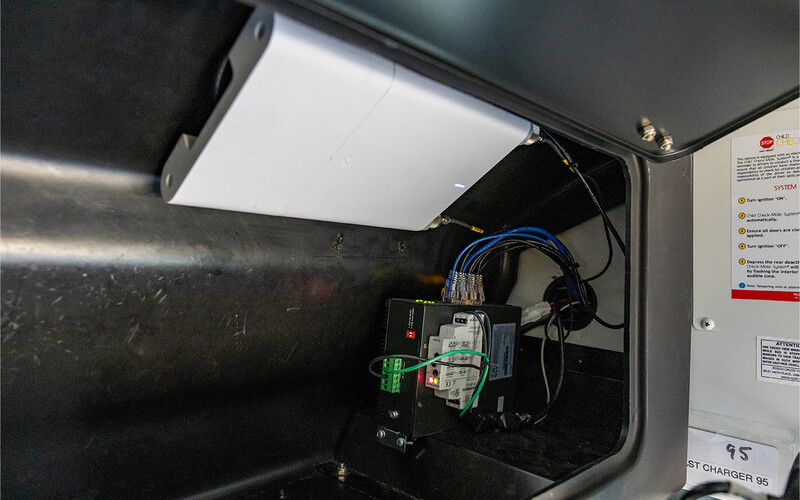
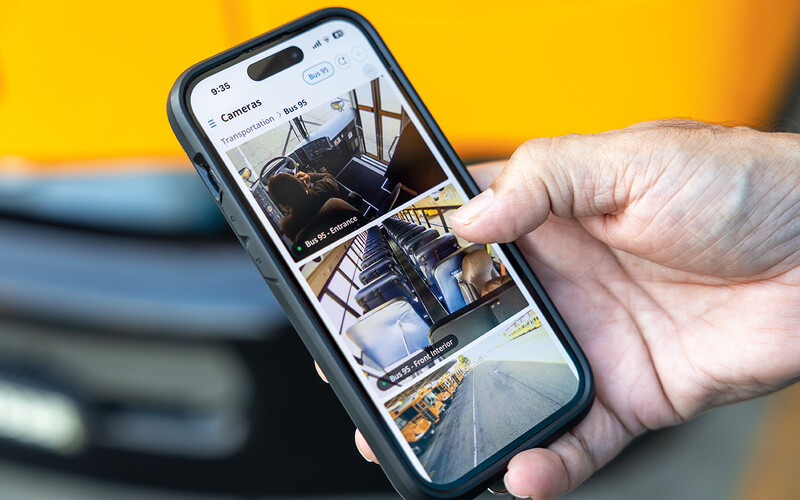
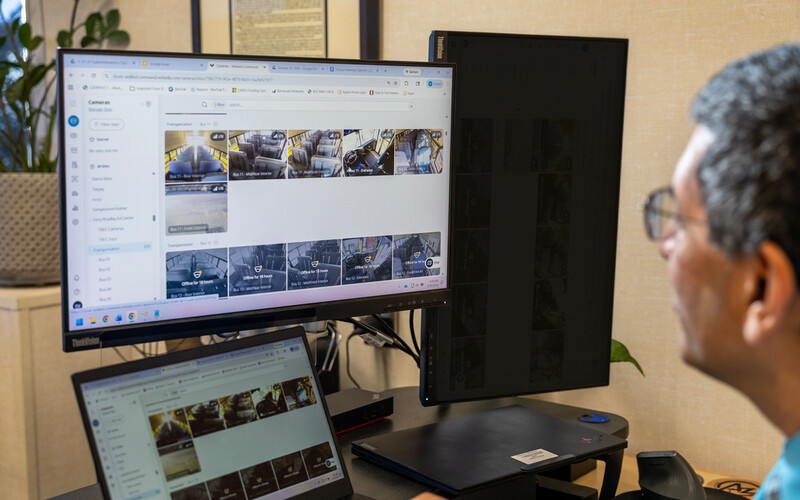
Administrators can log in to the Verkada Command app on desktops or mobile devices and access live and recorded video. On each bus, a Verkada cellular gateway connected to T-Mobile’s network uploads video to the cloud and provides GPS location.

CUSD officials who know where an incident occurred but not on which bus can search by location and pull up footage from any bus that passed through that area.

“The GPS feature is amazing because we can just click on the map and find the video,” Nagra says.

DISCOVER: How access control keeps school safe from unwanted guests.

A third-party installer deployed six cameras on full-size buses. Smaller special education buses have four cameras.

Installers rewired each bus with Cat 6 cabling, replaced existing DVR equipment with the Verkada cellular gateway and mounted an external antenna on the roof to improve cellular signal strength. Each camera stores 30 days of video locally, and the gateway uploads video to the cloud while the bus is in operation.

When a bus returns to the yard, a time-delay switch keeps the camera system powered by the bus battery for 90 minutes after a driver turns off the ignition, giving it additional time to upload the day’s footage.

Overall, Nagra says, the upgrade has improved safety.

“We don’t have 100% visibility on a bus, just like we don’t have 100% visibility at a school site.  But at least people know cameras are there,” he says. “It’s a deterrent. If kids know there’s a camera, hopefully they are more likely to behave.” 

Kanawha County Adds Cloud-Based Cameras to Existing System

Like CUSD, Kanawha County Schools in Charleston, W.Va., had an existing school bus camera system that stored video on DVRs. The district upgraded to Verkada’s cloud-based system last year but kept the old cameras as backup.

The previous setup featured eight cameras per bus: five inside and three covering the exterior. Initially, the district planned to install four new Verkada cameras, but the resolution and field of view was so good that they reduced the number to two for large buses and just one for smaller buses, says Jason Redman, the district’s executive director of transportation.

Kanawha’s 200 buses already had Wi-Fi through Cradlepoint routers, installed years earlier to support a one-to-one device initiative and allow students to do homework on bus rides, says Leah Sparks, the district’s executive director of technology.

Mechanics installed the cameras by adding new cabling and connecting them via Power over Ethernet to the existing network. “Setup is literally five minutes, and you’re up and running,” Redman says.

About 90% of video requests are now fulfilled through Verkada without pulling hard drives from the DVRs, he says.

“It saves administrators so much time,” says Sparks, who led the camera upgrade on buses and in the district’s 61 schools simultaneously. “Scrubbing and pulling video takes away from what we need to be doing for students.”

Principals can also access bus footage directly. Through AI-powered analytics, the camera system alerts the district when a paramedic or police officer boards the bus. If a parent calls to check whether a student was dropped off, staff can use face recognition to see when and where the student boarded and exited, Redman says.

The district also receives alerts when cameras go offline, eliminating the problem of discovering broken cameras only after incidents occur.

“Our downtime is minimal compared with what it was before,” Sparks says.

Stop-Arm Cameras Catch Motorists Who Pass Stopped Buses

Newport News Public Schools in Virginia also integrated two camera systems, equipping its 290 buses with as many as 13 cameras per vehicle for comprehensive coverage.

The district has deployed cameras and GPS on its buses for more than 15 years. Its primary camera system encompasses six interior cameras and three exterior cameras on newer buses, with footage stored on onboard DVRs.

About five years ago, the district added a second system with four interior cameras and an external stop-arm camera that catches drivers who illegally pass a stopped bus, says Shay Coates, the district’s executive director of transportation. The police department reviews footage and issues $250 civil citations to those drivers.

The newer camera system also records video to its own DVR and uploads video to the cloud through a cellular connection, so it serves as backup if the primary system fails. Administrators can use the new system to view live video from their desktops.

“If there’s an accident, we can see what’s going on at the scene while we’re sending our supervisors out,” Coates says.

The cameras provide evidence for student discipline investigations and accidents. “The video tells a story,” he says. “I always tell drivers that the cameras are there to protect them and to protect students.”

The Newport News district uses GPS to track buses in real time and offers parents an app that shows when a bus is approaching. Students scan radio frequency identification-enabled ID cards when boarding, so parents can confirm their children got on and off.

“It helps alleviate a lot of phone calls from parents,” Coates says. “They can look at the app and say, ‘OK, my kid got on the bus.’ It gives peace of mind.”


Photography by Craig Kohlruss
Close

New Workspace Modernization Research from CDW

See how IT leaders are tackling workspace modernization opportunities and challenges.